
Task management, built for how professional teams actually work
Table, Capsule, or Calendar — see your work the way you think, with every note, sub-task, and history behind a single click.
Everything a task needs, nothing it doesn't
Multiple Views
Switch between Table, Capsule, and Calendar views for the same task list, whichever fits how you think.
My Tasks & Tasks (Everyone)
Work from your own queue, or switch to Tasks (Everyone) for full visibility across the team — built for managers and admins.
Sub-tasks
Break any task into sub-tasks without losing track of the parent task.
Notes on Every Task
Attach notes directly to a task, so context stays with the work instead of a separate chat thread.
Task & Client History
A full history of every change on a task, and every task tied to a client — so nothing gets lost after the fact.
Client-Linked Billing
Closed tasks flow straight into Bill Flow, billed or unbilled, broken down by client.
However you like to work
The same tasks, three different ways to see them — switch anytime, no setup required.
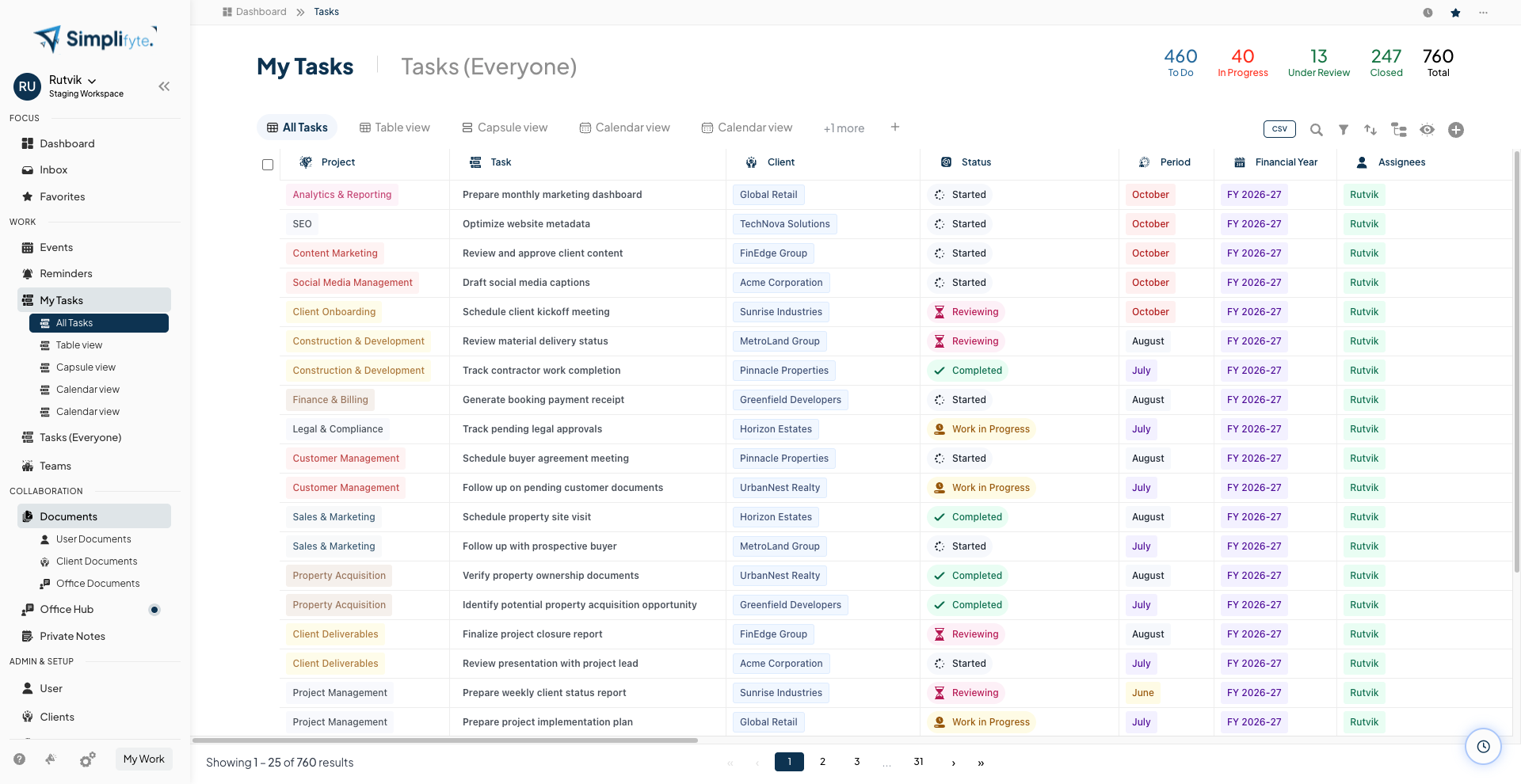
Every task, sortable and filterable like a spreadsheet
Project, task, client, status, period, financial year, and assignees — in one table, with saved tabs like Under Review, GST, and Income Tax so you're never rebuilding the same filter twice.
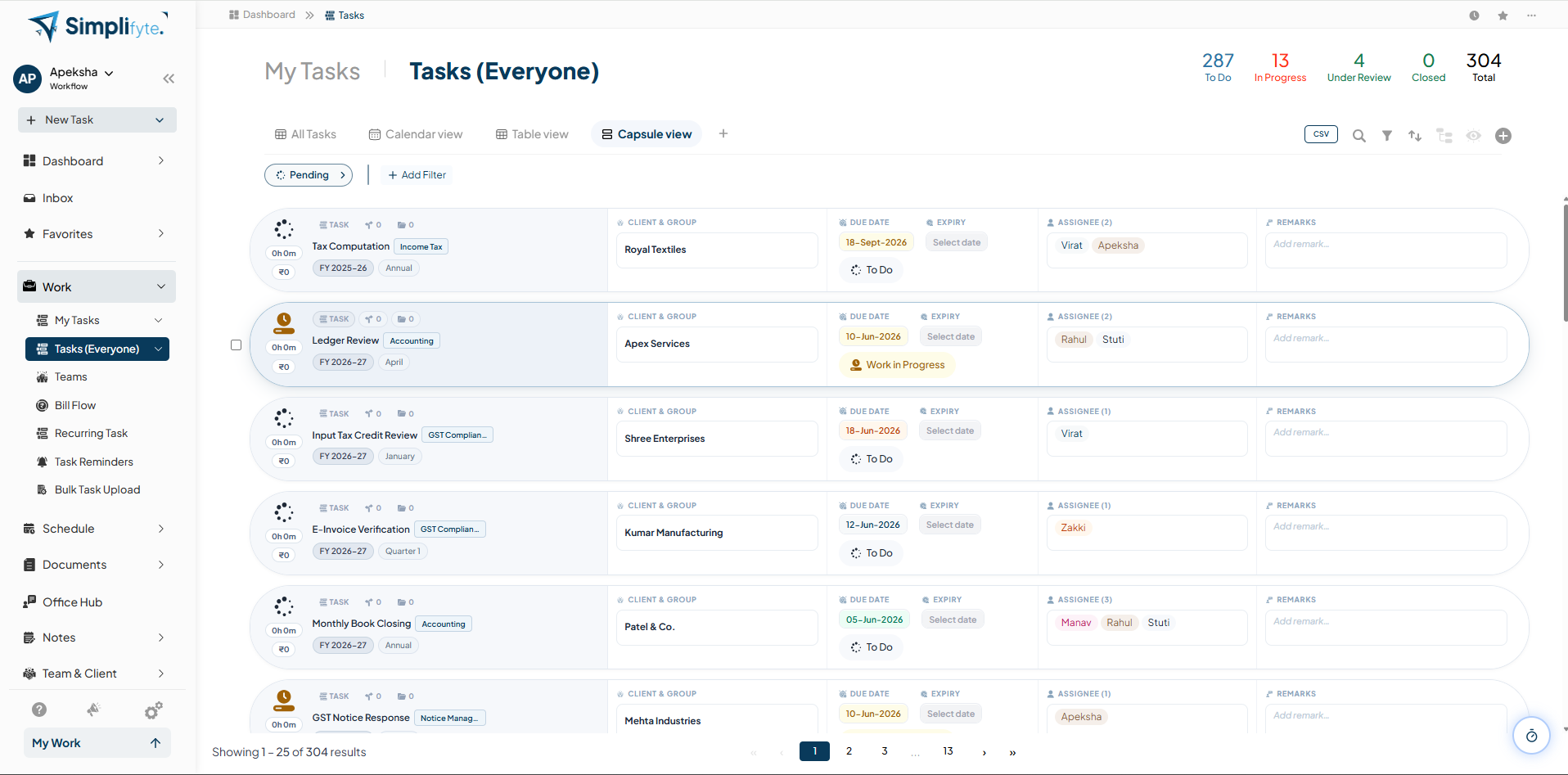
A card for every task, built for scanning fast
Client & group, due date, expiry, assignees, and remarks laid out on one card per task — easier to scan than a dense table when you just need to move fast.
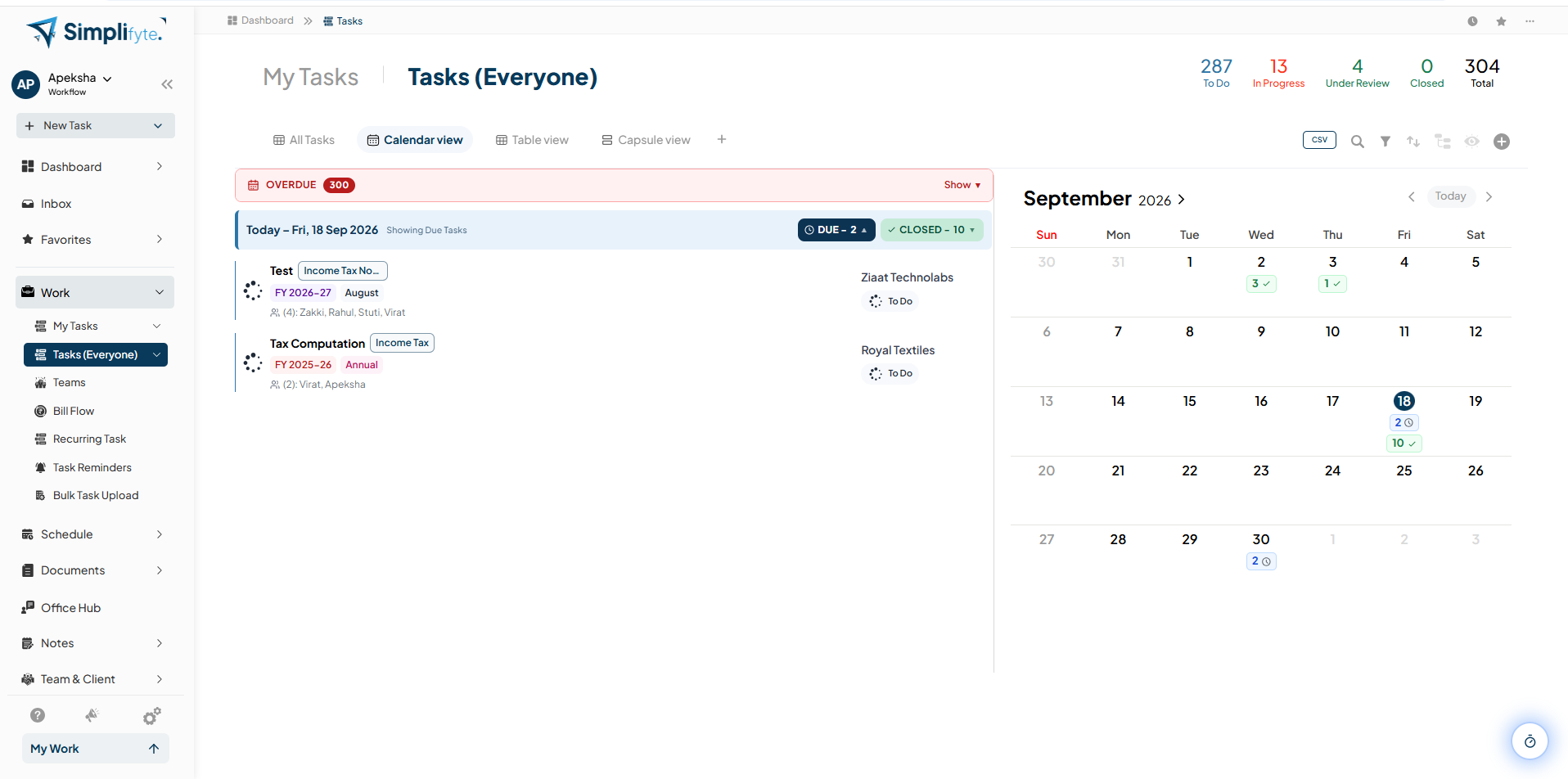
See deadlines the moment they land on a date
Due and closed counts on every day of the month, an overdue count you can't miss, and today's due tasks listed right alongside the calendar.
Full context, every time you open a task
Details, notes, sub-tasks, history, and billing — all one click away from the task itself.
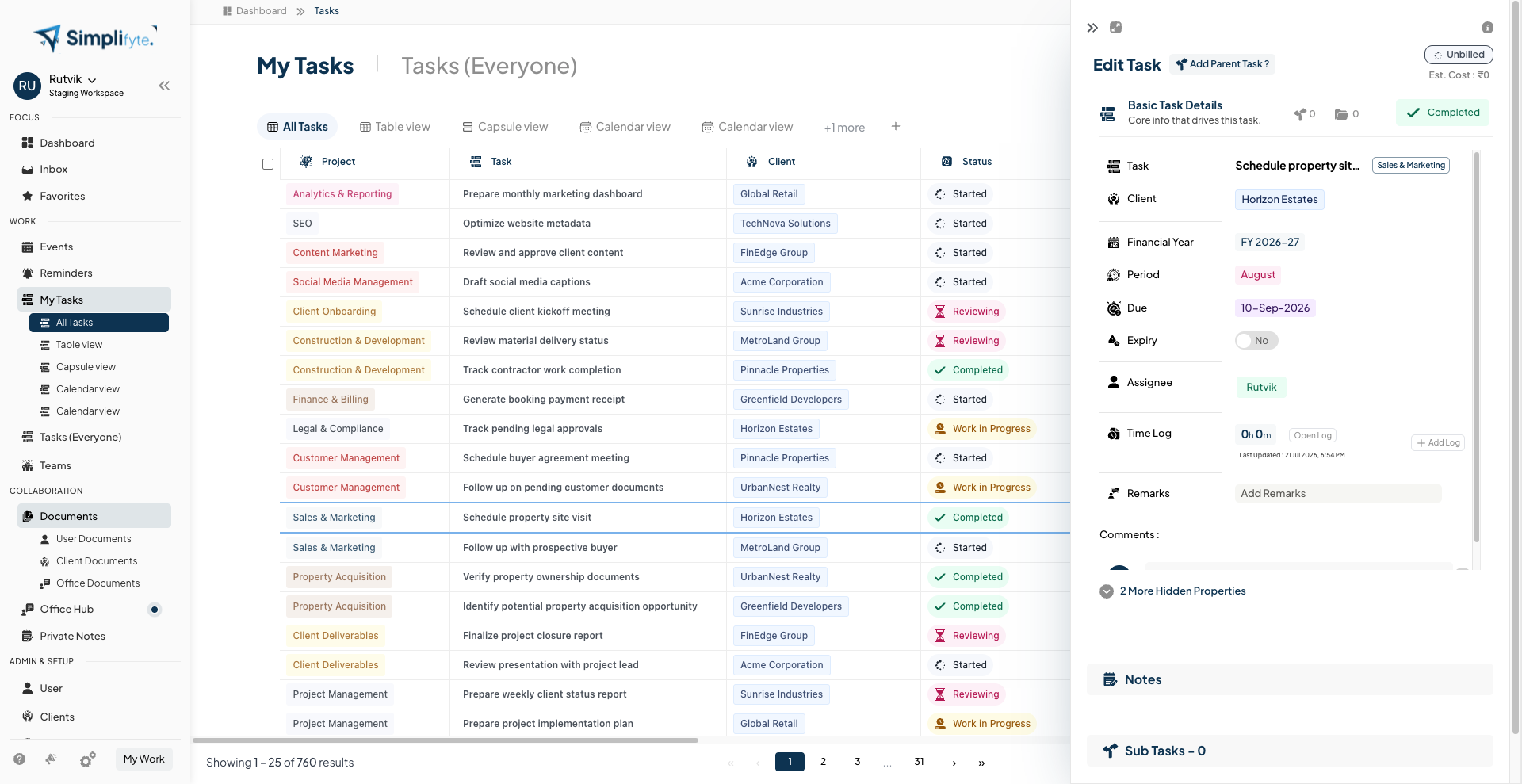
Open any task without leaving the list
Client, financial year, period, due date, expiry, assignee, time log, and remarks — all in a side peek panel, so checking one task doesn't mean losing your place in the list.
Every note, sub-task, and change, in one panel
Expand the same peek panel to add notes, break the task into sub-tasks, and review its full history — plus the client's history — without ever opening a separate screen.
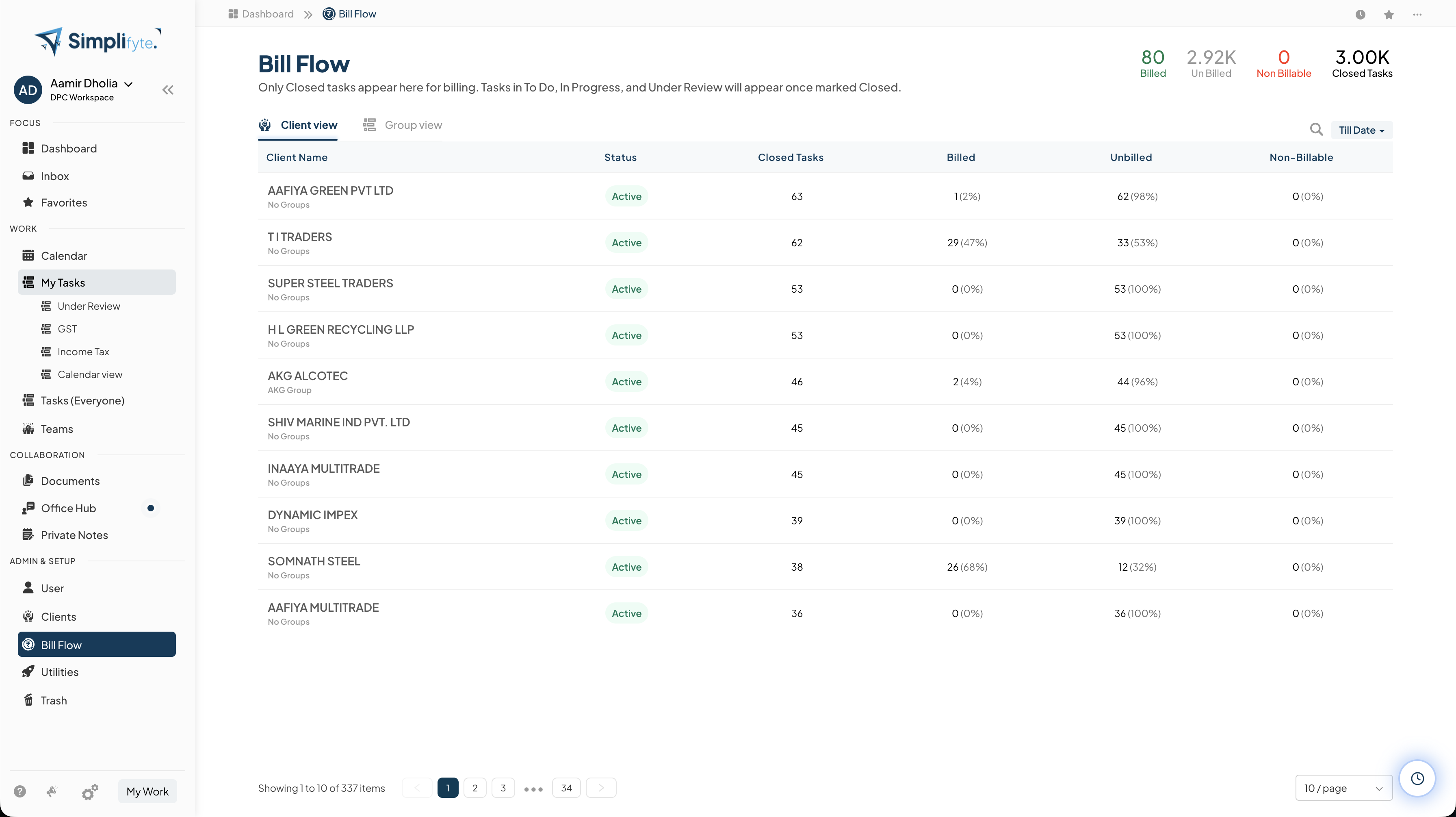
Closed tasks become billing-ready, automatically
Bill Flow shows billed, unbilled, and non-billable closed tasks by client, so finishing the work and billing for it are never two disconnected steps.
Why teams run their work on Simplifyte
Switch between Table, Capsule, and Calendar views without losing your filters
Give managers full visibility with Tasks (Everyone), without extra setup
Break work into sub-tasks and still track it under one parent
Keep notes, history, and client context on the task itself, not in chat
Turn closed tasks into billing records automatically, by client
Ready to see your work this clearly?
Join teams who stopped losing track of tasks between five different tools.
Start Free Trial